
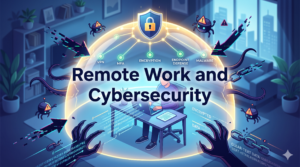
Remote work has changed the way businesses operate, and for many small businesses, it has been a positive shift. Employees are more flexible, overhead costs can be lower, and the talent pool is no longer limited by geography. But here is the part that does not always get talked about: every device your employee uses at home, every Wi-Fi network they connect to, and every file they access remotely is a potential entry point for a cybercriminal.
In a traditional office, your IT infrastructure is protected because everyone is behind the same firewall, using the same secured network. However, the moment your team goes remote, that controlled environment disappears, and the responsibility of protecting your business data becomes far more complex.
The Real Risk of Remote Work
It is easy to think of remote work as a people issue, you know, trust your employees, and everything will be fine. But, cybersecurity is not about trust in your team, it is about closing the gaps that hackers can exploit, regardless of how responsible your employees are.
Think of it this way: you could have the most honest, hardworking employee on your team, but if they are logging into your business systems from an unsecured home Wi-Fi network or a personal laptop with outdated software, your company’s data is still at risk. Cybercriminals do not need your employee to make a mistake on purpose, they just need an opening they can take advantage of.
Some of these openings could be:
- Unsecured home networks: Most home routers come with weak default settings and are rarely updated, making them easy targets.
- Personal devices: When employees use personal laptops or phones for work, there is little visibility into what software is installed or how secure those devices actually are.
- Phishing attacks: Remote workers, often operating without IT support nearby, are prime targets for phishing emails designed to steal credentials or install malware.
- Weak or reused passwords: Outside of the office, password discipline tends to slip. Employees may use the same password for personal and work accounts, creating a dangerous overlap.
- Unencrypted file sharing: Sharing sensitive documents over personal email or unsecured cloud platforms puts confidential information in places it should never be.
As great as remote work is, it requires a level of proactivity that the traditional work setting may not necessarily demand. Your clients trust you with their data, and of course you trust your employees to handle it responsibly. However, trust alone is not a security strategy, you need to back up that trust with the right systems and policies so you don’t damage your reputation or expose your business to legal and financial consequences.
The good news is that protecting confidential information in a remote environment is very possible; you just need the right knowledge and tools to get started. So, let’s consider some of these tools below:
1. Use a VPN (Virtual Private Network)
A VPN creates an encrypted tunnel between your employee’s device and your company’s network. Even if they are working from a coffee shop or using a home Wi-Fi network, their connection is protected. For any small business with remote employees accessing company systems or sensitive data, a VPN is not optional, it is absolutely necessary..
2. Enforce Strong Password Policies
Passwords remain one of the weakest links in any security setup, and remote work makes this worse. Require your team to use strong, unique passwords for every work account, and implement a password manager so there is no excuse for reusing credentials. No one should be logging into your business systems with the same password they use for their personal email or online shopping.
3. Enable Multi-Factor Authentication (MFA) on Everything
We have spoken before about the importance of MFA, and in a remote work environment it becomes even more critical. Even if a password is stolen or guessed, MFA ensures that an attacker still cannot access your systems without a second verification step. Enable it on email, cloud storage, project management tools, and any platform that holds company or client data.
4. Establish a Clear Remote Work Security Policy
Your employees need to know what is expected of them. A remote work security policy does not need to be a lengthy legal document, it just needs to be clear and practical. At a minimum, it should cover:
- Approved devices and networks for work use
- Rules around storing and sharing company files
- What to do if a device is lost, stolen, or compromised
- Requirements for software updates and antivirus protection
- How to report a suspected security incident
When employees know the rules, they are far more likely to follow them.
5. Separate Work and Personal Devices
Wherever possible, employees should use company-managed devices for work. This gives your IT the freedom they need to enforce security settings, push updates, and remotely wipe a device if it is ever lost or compromised. When employees mix work and personal use on the same device, that ability disappears.
6. Secure Your File Sharing and Communication
Sensitive information should never travel over personal email or consumer-grade file sharing services. Use business-grade, encrypted platforms for communication and document sharing, and set clear guidelines on what can and cannot be shared digitally, and with whom.
7. Keep Software and Systems Updated
Outdated software is one of the most common ways attackers get in. Cybercriminals actively exploit known vulnerabilities in old versions of operating systems, browsers, and applications. Ensure that all work devices, including those used by remote employees are kept up to date at all times.
Building a Culture of Security
The strongest technical defenses in the world can be undermined by a single uninformed employee clicking the wrong link. Cybersecurity in a remote work environment is as much about culture as it is about technology.
Train your team to recognize phishing emails. Encourage them to ask questions when something looks suspicious rather than clicking through. Make it easy and consequence-free to report a potential incident early, because catching a problem quickly is always better than discovering a breach weeks later.
When your employees understand why these practices matter, not just what they are required to do, they become an active part of your security team rather than a liability.
Cybersecurity does not have to be complicated, but it does have to be deliberate. Remote work introduces real risks, but none of them are unmanageable. With the right tools, the right policies, and the right IT partner, you can give your team the flexibility of remote work without sacrificing the security your business and your clients depend on.
At StonePoint Technology Partners, we work with small and mid-sized businesses to build security strategies that fit the way they actually operate, including when that means a team spread across homes, cities, or even states. From VPN setup to MFA implementation, device management to security training, we handle the complexity so you can focus on running your business.
Your clients trust you with their information. Let us help you make sure that trust is never broken.Send us an email at Info@stonepointtech.com or call us at (727) 478-7355 to get started.