
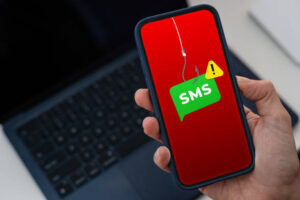
If someone ever told you that your business could be hacked through a text message, what would you do? You’d probably brush it off, right? A phone call, maybe. An email, sure. But a text message?
In the world of cybersecurity, there’s something called smishing, and like you’ve probably already guessed, it’s when cybercriminals infiltrate your business through SMS text messages. It’s a surprisingly simple concept, but that’s exactly what makes it work: criminals have found a way to turn something as ordinary as a text message into a real threat to your business, your data, and your money.
Let’s break down what smishing actually is, how it works, and, most importantly, how to keep your business protected from it.
So, What Exactly Is Smishing?
Smishing is just “SMS” and “phishing” merged together; it is a form of infiltration into your business systems done through your phone. Instead of a scam email landing in your inbox, a scam text lands on your phone, and wrongly engaging with it can grant access to a cybercriminal waiting at the other end.
The method is the same as email phishing: pretend to be someone you trust, create a sense of urgency, and get you to act before you think. What’s changed is the delivery method, and that one change makes a big difference.
Think about it. When was the last time you second-guessed a text message? Most of us don’t. We open texts almost as soon as they land, often within minutes, and we rarely stop to ask “wait, is this actually from my bank?” the way we might with a sketchy-looking email. That’s exactly the gap smishing is built to exploit.
Why Criminals Are Using Smishing Now
A few reasons this tactic has taken off are:
- You actually read your texts: Open rates for SMS sit well above 90%, compared to a fraction of that for email, and understandably criminals go where the attention is.
- There’s no spam folder for texts: A scam message shows up right next to a text from your spouse or a client, with nothing filtering it out first.
- It’s happening on devices your IT team can’t see: Employees text on personal phones; the same phones they use for banking, work email, social media etc and those phones usually sit outside your company’s security net entirely.
- Everything’s smaller and harder to check: Try hovering over a link or checking a sender’s full address on your phone, and you’ll see that it’s not easy, and scammers know it, which is something they also take advantage of.
To show you how serious text scams (smishing) have become, here’s some statistics you should know:
- The Federal Trade Commission reported that Americans lost $470 million to text scams in 2024 which is roughly five times what was lost in 2020.
- Verizon’s 2025 Data Breach Investigations Report found that smishing and vishing combined made up about 19% of the entry points used in the breaches it studied.
- By the end of 2024, the FBI’s Internet Crime Complaint Center (IC3) had logged more than 59,000 complaints tied specifically to fake toll-payment text scams, many aimed at drivers and business fleet accounts.
These figures show us that smishing is a very serious concern and shouldn’t be taken lightly; attackers are shifting to mobile because it’s working, and small businesses with thinner defenses and employees texting on their own phones are right in the line of fire.
Like we discussed in several blogs already, it is dangerous to assume that your small business cannot be a target for cybercriminals. On the contrary, that’s often exactly why criminals do target small businesses. Small businesses often have fewer formal processes or dedicated security set ups.
The Scam Texts You’re Most Likely to See
Now that you know what smishing is and how dangerous it can be, what do you look out for? Just as we discussed in phishing, all principles are still valid.
These cybercriminals always try to come through a familiar route, make it sound like there’s an emergency, and then require you to either click a link, or make a payment. Let’s look at some scenarios together, and once you know the patterns, they’re a lot easier to catch:
- “Your package couldn’t be delivered.” Or “you have an unpaid toll”: These fake delivery and toll notifications are some of the most common smishing texts out there, often impersonating carriers like USPS or FedEx, or toll authorities like E-ZPass and SunPass. They almost always include a link urging you to click and resolve the supposed problem, whether that means rescheduling a delivery or paying a small toll. That link is the real trap, leading to a fake website designed to steal your personal or payment information.
- “Your account has been locked”: A text pretending to be your bank or payment processor, warning of “suspicious activity” and asking you to click a link to “verify your identity.” As explained in point 1, the link is the trap, always leading to a fake website or payment gateway designed to steal your personal information.
- “Hey, can you handle something for me real quick?”: A message that looks like it’s from your CEO, a manager, or a trusted vendor, asking you to urgently buy gift cards, approve an invoice, or send a payment somewhere new.
- “What’s the code you just received?”: This is very common and also very easy to fall prey to. If a criminal already has a stolen password, they may text asking you to reply with the one-time verification code your bank or software just sent, essentially asking you to hand over the very thing that’s supposed to stop them.
- “Your subscription is about to expire”: Fake tech support or renewal messages that push you toward a fake support line or payment page.
How to Protect Your Business
Just as we have discussed in previous blog articles, protecting your business from cyber attacks begins from awareness. Now that you are aware, these following steps will help to protect your business from infiltration.
- Train your team: Security awareness shouldn’t stop at email. Make sure everyone knows text scams are just as real, and walk through real examples during onboarding and every so often after. Train your team to pause on any text that has:
- An unfamiliar number or short code claiming to be a bank, delivery service, or government agency
- Urgent or threatening language (“act now,” “your account will be suspended,” “legal action pending”)
- A request to click a link, call a number, or text back a code, password, or payment detail
- A shortened or unfamiliar link (bit.ly-style links show up constantly in smishing)
- Small things that feel slightly off like a misspelled company name, an odd area code, someone who wouldn’t normally text you directly
If something feels a little strange, trust that feeling, and always remember that a real bank or government agency isn’t going to ask you to text back sensitive information or a verification code.
- Add a verification step before money moves: Any request to change payment details, approve a wire transfer, or buy gift cards should trigger a phone call to a known, saved number, never the number sitting in the suspicious text itself.
- Draw a line between business and personal phone use where you can: Mobile device management (MDM) tools let you apply basic security rules to phones used for company email or apps, even personally owned ones.
- Rethink text-based two-factor authentication: SMS codes beat having no second factor at all, but they’re also a known target for interception. Where you can, move important accounts to an authenticator app or a hardware security key instead.
- Keep every device updated. Software updates regularly patch the exact vulnerabilities malicious links are designed to exploit.
Smishing works because it plays on trust and urgency, on the one device most of us check constantly and guard the least. For a small business owner already stretched across a dozen things, one convincing text is sometimes all it takes to open the door to a much bigger problem like a drained account, a stolen login, or a foothold into systems you thought were secure.
Here’s the good news: the same habits that protect you from email phishing work here too; pause before you click, verify anything unusual through a second channel, keep your team in the loop. The primary thing is to be security conscious no matter the device you are on.
Not sure where your own security gaps are? That’s exactly the kind of thing a managed IT and cybersecurity partner is designed to find. Stone Point Technology Partners works with small and mid-sized businesses to put real protections in place so you’re not left figuring it out after something’s already gone wrong.
Reach out to Stone Point Technology Partners for a consultation today, and let’s build a system for you that secures your business from cybercriminals.